What is Voshi?
One installation.
Every tool your instructors build.
Voshi lets instructors build the tools their courses need: a simulation, a case study, a lab. You install Voshi once, the way you add any LTI 1.3 tool. After that, instructors add tools to their own courses, with no new installation for each one.
MyEducator is the vendor for every tool built with Voshi: the security reviews, accessibility, privacy, and support your institution requires.
Example 01
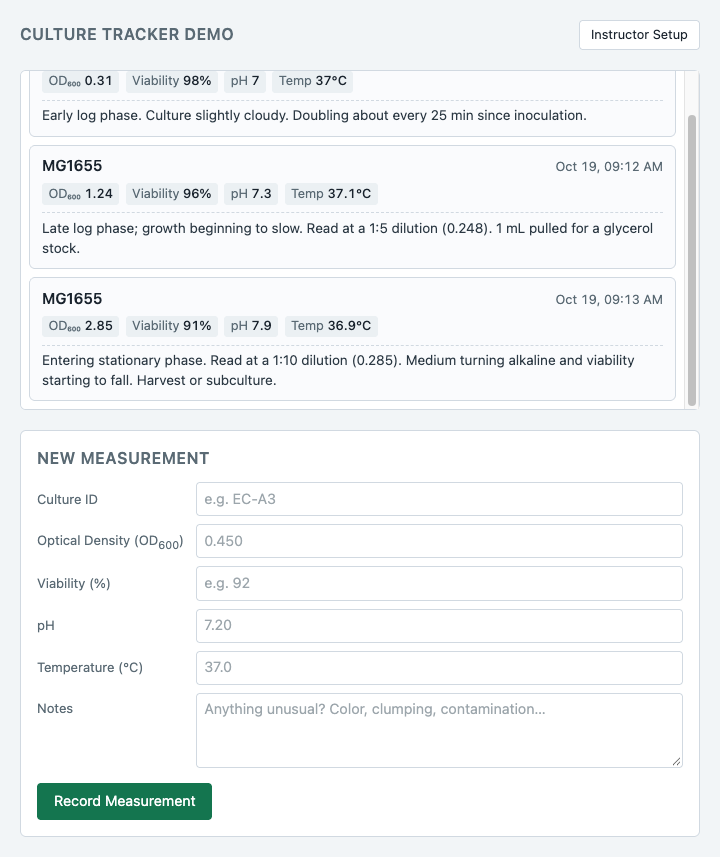
Culture Tracker
A lab notebook for a microbiology course, built entirely by our AI. Students record each reading of their culture (optical density, viability, pH, temperature, and notes) and watch it grow from one measurement to the next.
Example 02
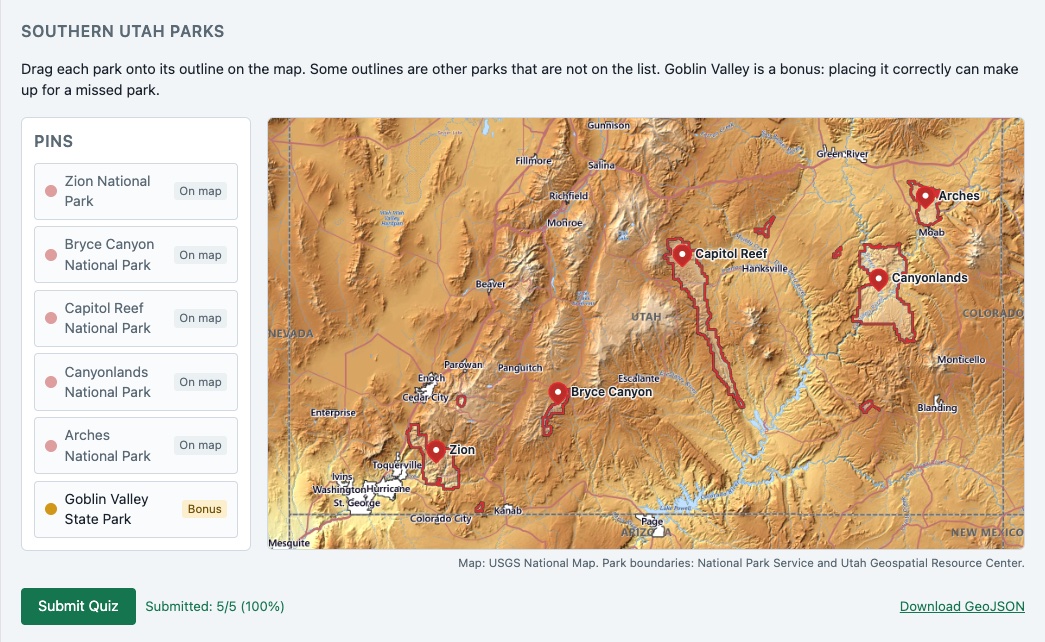
Park Pins
A map quiz for a geography course. Designed by an instructor, built by our AI. Students drag each park onto its outline on a USGS topographic map, past outlines of parks that are not on the list. A bonus park can make up for a miss, and the score goes to the gradebook.
Ready for the gradebook
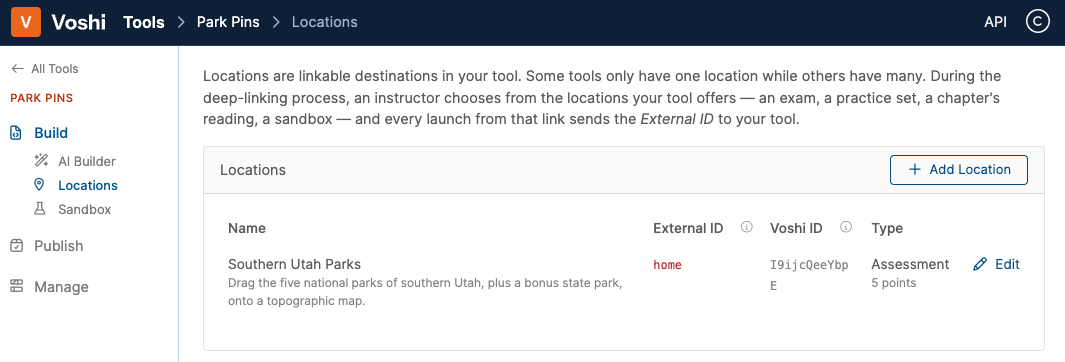
Park Pins, from its builder's side. A tool offers locations an instructor can place in a course; this one is a five-point assessment. An instructor picks it in the Voshi deep linking dialog, and it becomes a graded assignment.
Get started